Today, local customer decisions begin on maps, not websites. When people search for services like "dentist near me," "best cafe nearby," or "electrician in my area," the first thing they see is not a list of websites - it is Google Maps results.
Run a LocalAuditPro scan to see exactly what's blocking rankings - verification, NAP issues, categories, reviews, activity, and more.
Run Free Audit - >- Why Maps Visibility Equals Local Revenue
- No Google Business Profile (GBP) or Unclaimed Listing
- Incomplete or Incorrect Business Information (NAP Issues)
- Wrong Primary Category or Poor Category Relevance
- Service-Area Business Setup Problems
- Duplicate Listings and Suspensions
- Low Reviews or Poor Review Health
- Low Profile Activity and Updates
- Poor Local Trust and Prominence Signals
- Key Takeaways
- People Also Ask
Why Maps Visibility Equals Local Revenue
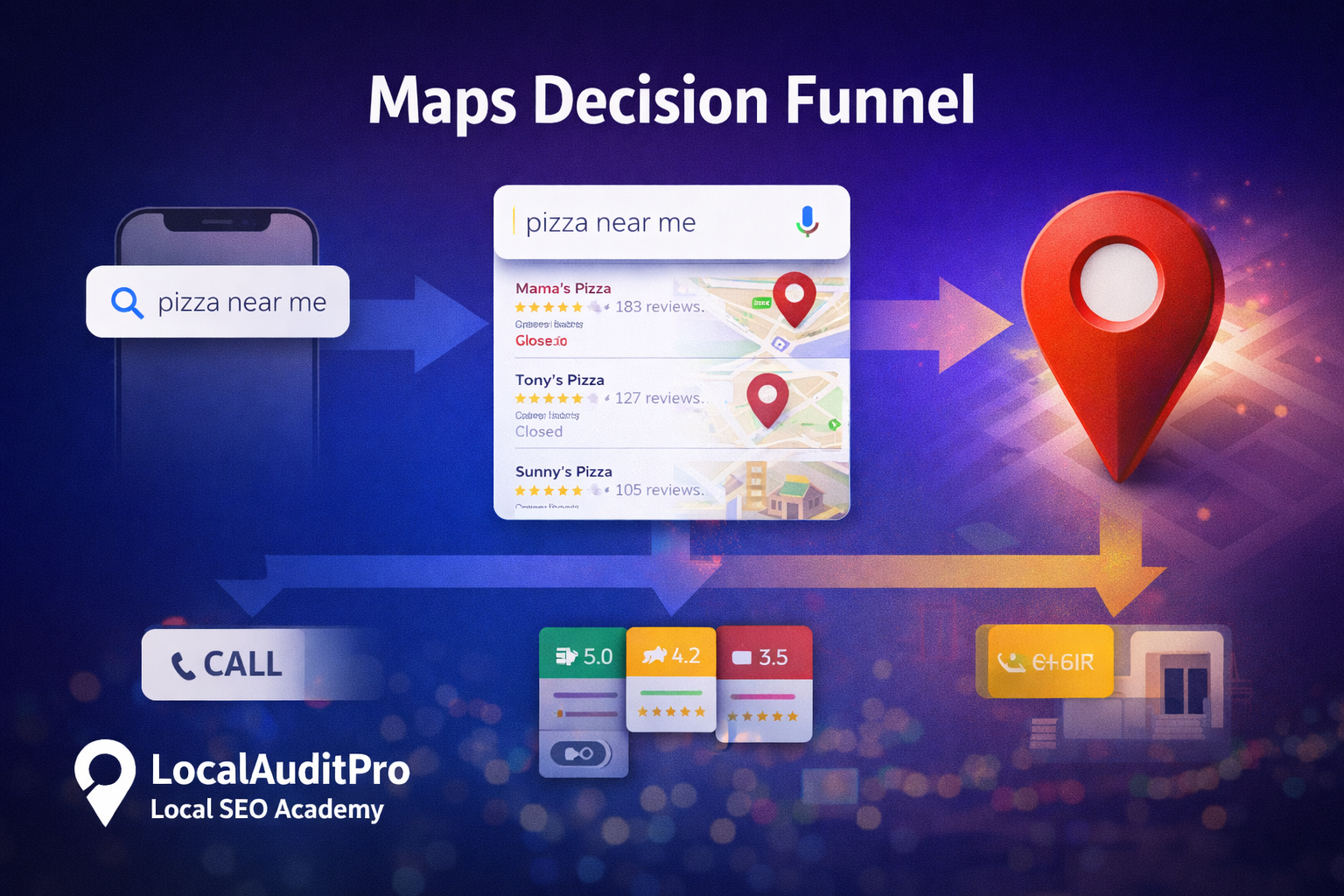
Modern consumers want fast answers. Instead of researching multiple sites, they compare businesses directly inside Maps by looking at star ratings, reviews, distance, photos, and hours. In local search, users are not browsing - they are ready to act.
- 46% of all Google searches have local intent
- 76% of users who search for a local business on mobile visit within 24 hours
- 28% of local searches result in a purchase
If your business does not appear on Google Maps, it is effectively removed from the local decision-making process.
2. No Google Business Profile (GBP) or Unclaimed Listing
One of the most common reasons businesses don't appear on Google Maps is simple: they don't have a Google Business Profile (GBP) or their listing exists but is unclaimed and unverified.
What Happens When a Business Has No Google Business Profile
When a business has no GBP, Google has limited confidence in showing it to users. Even if the business has a website or social pages, Google Maps and the Local Pack rely primarily on GBP data.

- Create or claim your GBP
- Verify ownership
- Correct hours, categories, services
- Add photos + start review replies
3. Incomplete or Incorrect Business Information (NAP Issues)
NAP (Name, Address, Phone) forms the foundation of local search trust. Google cross-checks your details across your GBP, website, Maps, and directories. If the data conflicts, visibility drops.
4. Wrong Primary Category or Poor Category Relevance
Categories determine search eligibility. If your primary category does not match what you actually do, Google may exclude you from relevant searches - regardless of reviews.
5. Service-Area Business Setup Problems
Service-area businesses can struggle if the address is hidden without properly defining service regions. Without correct service areas, Google can't match you to nearby searches.
6. Duplicate Listings and Suspensions
Duplicate listings split ranking signals like reviews, clicks, and engagement. Duplicates can also trigger suspensions, causing listings to disappear entirely until issues are resolved.
7. Low Reviews or Poor Review Health
Reviews are a major ranking and trust signal. Google evaluates quantity, freshness, ratings, and owner responses. Strong, recent reviews earn more visibility than outdated or missing reviews.
8. Low Profile Activity and Updates
Inactive profiles with no photos, posts, or updates signal low relevance. Google favors businesses that show real-world activity, so inactive listings gradually lose prominence.

9. Poor Local Trust and Prominence Signals
Google cross-checks your business beyond GBP - directories, brand mentions, and consistency across the web. Weak or inconsistent presence reduces prominence and trust.
Key Takeaways: How to Fix Google Maps Visibility Issues
- Visibility is not automatic
- Accuracy, activity, and trust matter
- Reviews drive both rankings and conversions
- Regular monitoring prevents silent ranking loss
- Consistency beats one-time optimization
People Also Ask
Why doesn't my small business show up on Google Maps?
A small business may not appear due to missing or unverified listings, incorrect NAP information, wrong categories, location setup issues, lack of reviews, or low profile activity.
Is a Google Business Profile required to appear on Google Maps?
Yes. A verified Google Business Profile is required because Google Maps relies primarily on GBP data to determine eligibility and trustworthiness.
How long does it take to fix Google Maps visibility problems?
Minor fixes can improve visibility within weeks, but full recovery typically takes 1-3 months depending on competition and consistency.
LocalAuditPro checks verification, NAP consistency, categories, review health, activity, duplicates, and trust signals in one report.
Run Free Audit - >